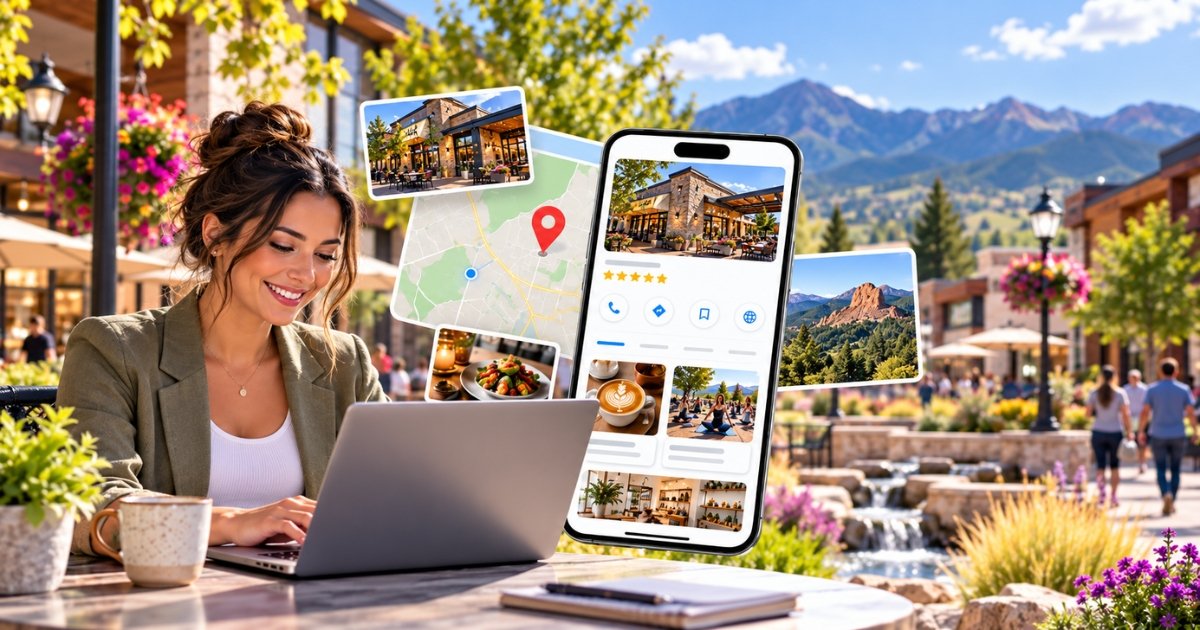
Parker, Colorado, is home to a growing community of local shops, restaurants, and service-based businesses. From Main Street boutiques to businesses along Parker Road, local competition makes it important to stay visible and connected with potential customers.
Google Business Profile posts allow businesses to share updates, promotions, events, and announcements directly through their listings on Google Search and Maps.
Whether you’re promoting a seasonal offer, participating in Parker Days, or showcasing a new service, the right posts can help customers learn more about your business.
In this guide, you’ll discover 30 Google Business Profile post ideas designed for Parker, CO businesses, along with practical examples you can adapt to your own marketing strategy.
Why Google Business Profile Posts Matter for Parker Businesses
Customers often research local businesses online before deciding where to shop, eat, or book a service. An updated Google Business Profile helps them find useful information about your business without having to search through multiple websites.
Regular Google Business Profile posts provide opportunities to promote timely information and encourage customers to take action.
Creating engaging posts is only one part of maintaining a successful Google Business Profile. Businesses should also focus on accurate information, customer reviews, and regular updates. Learn how professional Google Business Profile management can support local visibility and help businesses connect with potential customers through Google Search and Maps.
Here are some of the main benefits:
- Support local visibility: Share relevant updates that help potential customers understand your services, products, and upcoming activities when they find your business on Google Search and Maps.
- Encourage customer visits: Promote special offers, seasonal events, and announcements that give nearby customers a reason to visit your business.
-
- Highlight sales and promotions: Advertise discounts, limited-time offers, and new products directly through your Business Profile without paying to publish the update.
- Build customer trust: An informative and regularly maintained profile demonstrates that your business communicates with its customers and provides current information.
- Support customer engagement: Use relevant images, descriptions, and calls to action to encourage customers to visit your website, explore an offer, or make a booking.
Although posting regularly does not guarantee higher local search rankings, it can support your broader local marketing strategy.
Google’s local ranking systems primarily consider relevance, distance, and prominence. Keeping your business information accurate and complete remains an important part of local SEO.
For Parker businesses, posting once a week can be a practical starting point for sharing useful updates and staying connected with local customers.
Google Business Profile posts are just one part of a successful local marketing strategy. Working with a marketing agency in Parker, CO can help businesses combine regular updates, local SEO, and customer engagement to improve their online presence.
30 Google Business Profile Post Ideas and Examples
Not sure what to publish next?
These 30 Google Business Profile post ideas are designed to help Parker businesses promote their services, participate in community activities, and attract customer interest throughout the year.
Mix seasonal promotions, product announcements, local events, and behind-the-scenes content to create a varied posting schedule.
1. What’s New and Local Events
Community events and business announcements provide opportunities to connect with Parker residents and share timely information.
Try these eight ideas:
- Parker Days Festival participation: Announce your booth location, participation details, and event hours.
- Mainstreet holiday shopping: Promote extended shopping hours, seasonal offers, or holiday events.
- Local sports celebrations: Share relevant game-day promotions during Ponderosa or Chaparral school sporting events.
- Winter weather updates: Inform customers about temporary closures, changes to business hours, or weather-related service updates.
- Grand openings and business announcements: Introduce a new location, employee, service, or business milestone.
- Parking and access information: Share relevant reminders about parking arrangements or road closures affecting your location during local events.
-
- Community activities: Announce participation in trunk-or-treat events, donation drives, or neighborhood initiatives.
- Charity fundraisers: Highlight your involvement in local fundraising events or community sponsorships.
Example Google Business Profile Post:
“Heading to Parker Days this weekend? Come visit our booth and learn more about our products! We’re offering a special 10% festival discount for visitors. Stop by and say hello!”
This type of post works particularly well for businesses participating in local events because it gives customers a clear reason to visit.
2. Offers and Promotions
Promotional posts can help generate interest in your business during seasonal peaks, slower periods, or special occasions.
Here are eight ideas to consider:
- New customer discount: Welcome first-time customers with an introductory offer.
- Winter preparation special: Promote seasonal services such as heating maintenance, vehicle inspections, or home winterization.
- Back-to-school promotions: Create relevant offers for Parker families preparing for the new school year.
- Exclusive Google offer: Encourage customers to mention your Google Business Profile post when booking or purchasing.
- Limited-time flash sale: Promote selected products or services with a clearly stated offer period.
- Loyalty program announcement: Introduce a rewards program and explain how customers can participate.
- Community appreciation discount: Recognize eligible teachers, military personnel, or first responders through a special offer.
- Referral rewards: Encourage existing customers to recommend your business to friends and neighbors.
Example Google Business Profile Post:
“Winter is approaching! Get your home ready for colder temperatures with our seasonal maintenance special. Book your appointment by Friday and save 15% on eligible services. Contact our team to check availability.”
When publishing promotional posts, make sure the discount, eligibility requirements, and expiration dates are clearly stated.
3. Product and Service Features
Google Business Profile updates can also highlight the products and services that make your business valuable to local customers.
Use these seven ideas to showcase what you offer:
- Best-selling product: Feature a popular product and explain why customers choose it.
- Service of the week: Introduce a specific service, its benefits, and pricing information where appropriate.
- New arrivals or seasonal products: Announce new inventory, seasonal menu items, or recently introduced services.
- Before-and-after project photos: Share examples of completed work, particularly for home improvement, cleaning, landscaping, or automotive services.
- Customer review spotlight: Feature a genuine customer testimonial with appropriate permission.
- Helpful seasonal tips: Share useful advice, such as preparing plumbing for freezing temperatures or maintaining outdoor spaces.
- Local holiday gift guide: Recommend products or services suitable for Parker shoppers looking for seasonal gifts.
Example Google Business Profile Post:
“Meet one of our most popular products this month! Locally made, thoughtfully crafted, and available for pickup in Parker. Visit our store to explore our latest collection.”
Service-based businesses can adapt this approach by showcasing completed projects, explaining service benefits, or answering common customer questions.
4. Behind-the-Scenes and Community Spotlights
Not every Google Business Profile post needs to promote a sale.
Sharing your team, company values, and community involvement can help customers become more familiar with your business.
Consider these seven ideas:
- Meet the team: Introduce employees and share their roles or professional experience.
- A day in the business: Show customers what happens behind the scenes during a typical working day.
- Your business story: Explain why you started your company and what inspired you to serve the Parker community.
- Local supplier spotlight: Introduce a local partner, supplier, or business collaborator.
- Community volunteering: Share your team’s participation in local volunteering activities.
- Support another Parker business: Highlight a local business or community partnership that you value.
- Customer appreciation events: Announce events designed to thank customers for their continued support.
Example Google Business Profile Post:
“Meet Jake, our lead technician and a proud Parker resident for over 12 years! Jake brings valuable experience to our team and enjoys helping local customers find practical solutions. Say hello during your next visit!”
Behind-the-scenes content can make your business feel more approachable while helping customers understand the people behind the services they use.
How to Create Effective Google Business Profile Posts
Having ideas is only the first step. The way you present each update also affects how useful it is to customers.
Here are five practical tips for creating better posts.
Use Clear, High-Quality Images
Choose relevant photographs that represent your business, products, services, or events.
For example, a Parker restaurant could share a photo of a seasonal menu item, while a landscaping business could showcase a recently completed project.
Avoid overcrowding images with promotional text, and check how they appear in the Google Business Profile preview.
Write Short and Useful Descriptions
Customers should be able to understand the purpose of your post quickly.
Focus on the most important information first, whether that’s a promotional offer, an event date, a new service, or a helpful announcement.
Use natural language instead of repeating the same keywords unnecessarily.
Include a Relevant Call to Action
Encourage customers to take the next step by choosing an appropriate action, where the selected post type supports it.
Depending on the update, this could involve visiting your website, learning more about a service, booking an appointment, or viewing an offer.
Make Posts Relevant to Parker Customers
Local references can make your content more useful when they genuinely relate to your business.
Mention relevant events, seasonal conditions, neighborhood activities, or community partnerships.
However, avoid adding Parker, CO repeatedly just for keyword placement. The content should always sound natural.
Maintain a Consistent Posting Schedule
A weekly publishing schedule can be manageable for many small businesses.
For example, you might share a service spotlight one week, a promotional offer the next, and a community update afterward.
Consistency helps create an organized marketing routine, but relevance and quality are more important than posting simply to meet a quota.
Start Posting on Your Google Business Profile This Week
You don’t need an extensive marketing budget to begin creating useful Google Business Profile posts.
Start by choosing three ideas from this list that match your business goals.
For example, a Parker retail store might promote a seasonal product, introduce a staff member, and announce an upcoming local event.
A home service business could instead highlight a completed project, offer seasonal maintenance advice, and promote appointment availability.
Publish these updates over the next two weeks, then review your Business Profile Performance data to understand how customers are interacting with your listing.
Track relevant actions such as website clicks, calls, and direction requests. Where appropriate, use tagged website links to understand visits associated with specific campaigns.
Over time, these insights can help you refine your posting strategy and focus on content that supports your business goals.
If managing regular updates becomes difficult, working with a local marketing provider can help you maintain a structured content schedule.
Frequently Asked Questions About Google Business Profile Posts
1. How often should I publish Google Business Profile posts?
Publishing once a week is a practical starting point for many businesses, but Google does not require a minimum posting frequency. Focus on sharing relevant updates, promotions, and events whenever you have useful information for customers.
2. What image size is best for Google Business Profile posts?
A high-quality image with a 4:3 aspect ratio, such as 1200 × 900 pixels, is a practical option for many Google Business Profile updates. However, images may appear differently depending on the device and placement. Always preview your post and make sure important visual details are not cropped.
3. Do Google Business Profile posts expire?
Google Business Profile posts older than six months are generally archived unless a date range has been specified. Event and offer posts can include relevant start and end dates. Keeping information accurate helps customers avoid outdated promotions or announcements.
4. What is the character limit for Google Business Profile posts?
Google Business Profile post descriptions have commonly been limited to 1,500 characters, although it’s best to check the current editor requirements before publishing. Keep your message concise, place important information near the beginning, and include a relevant call to action.
5. How can I measure the performance of Google Business Profile posts?
Google Business Profile Performance provides information about overall profile interactions, including calls, website clicks, and direction requests. These metrics are not a complete breakdown of individual post performance.
For additional campaign tracking, use UTM-tagged website links and Google Analytics to understand visits and conversions associated with your posts.
Let Firestarter Media Manage Your Google Business Profile Posts
Running a business takes time, and creating consistent, relevant Google Business Profile posts can become another responsibility on an already busy schedule.
Firestarter Marketing helps Parker, CO businesses plan, create, and schedule engaging Google Business Profile updates through Moxie, its AI-powered marketing platform. From content creation to consistent publishing, Moxie helps small businesses maintain their online presence without spending hours managing marketing tasks.
Whether you want to promote seasonal offers, highlight your services, or stay connected with local customers, our team can help develop a posting strategy that supports your business goals.
You run the business. We’ll help manage the posting.
Contact Firestarter Media today to discuss your Google Business Profile strategy and request a local visibility audit.